01 · Problem
1 hire, 5 places.
Agency recruiters run every hire across spreadsheets, job portals, email, chat and notes. Nothing is connected, so checking one candidate can take most of the day.
{{ t.n }}
{{ pvLabel }}
{{ toolNote }}
Sandeep Guduru IT recruiter · 40 · 12 yrs · agency {{ pt.t }}
{{ pi.t }}
“I spend more time checking resumes than talking to people.”
02 · Research
What the market does.
I benchmarked 12 hiring products on positioning, AI features, trust signals and candidate flows, then scanned their interfaces for patterns worth reusing.
12 hiring products benchmarked
03 · Insight
How might we help a recruiter go from a pile of resumes to a confident shortlist in minutes?
Recruiters did not need more data. They needed a score they could trust and a clear next step.
04 · Flow
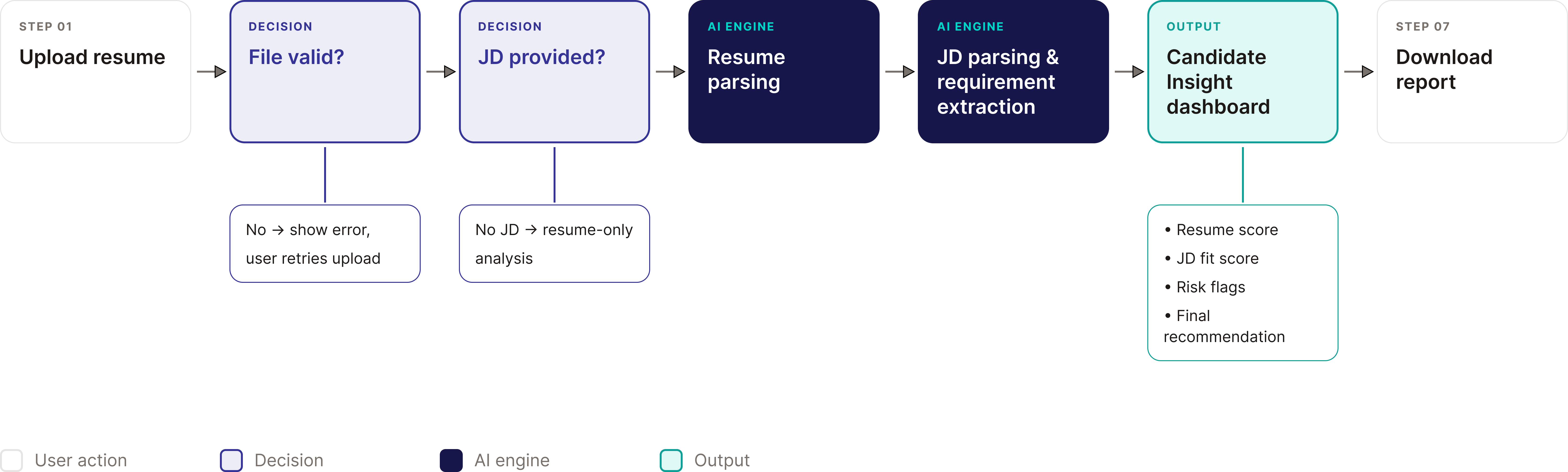
Resume in, decision out.
Every resume follows the same six steps, from upload to a recruiter decision. Step through them below.
{{ j.mark }} {{ j.t }} Back {{ jNextLabel }}
{{ jCur.t }} {{ jCur.pos }}
Aarav Sharma Senior React Developer · Bengaluru · 6 yrs aarav_sharma_cv.pdf
{{ e.r }} {{ e.y }} {{ e.c }} · {{ e.d }}
{{ k }}
{{ d.t }}
{{ jd.t }} {{ jd.m }} Must have {{ k }}
Nice to have {{ k }}
{{ jd.score }} {{ g.k }} {{ g.v }}
Detailed user flow
−
{{ fzPct }}
+
Fit
05 · Design
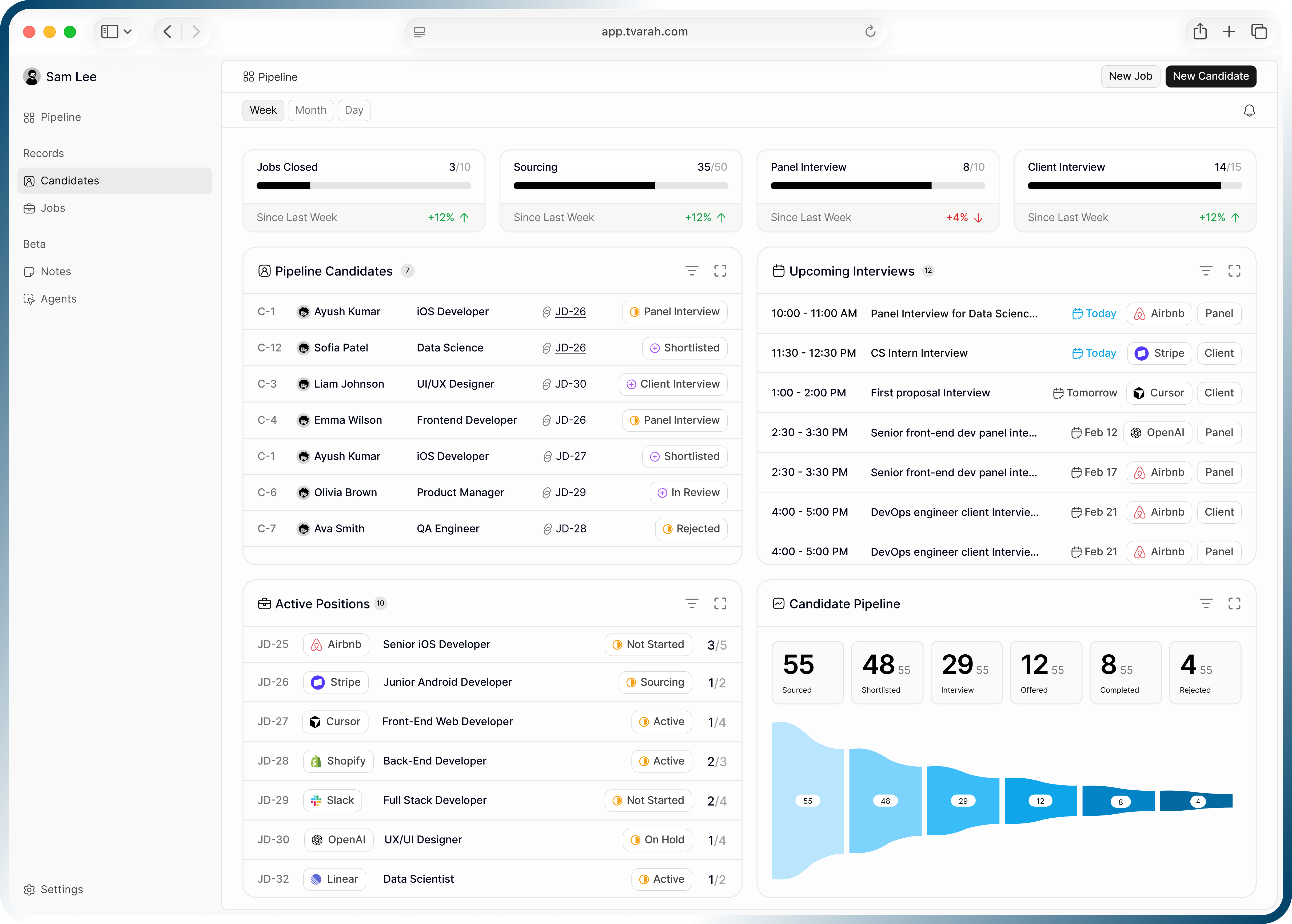
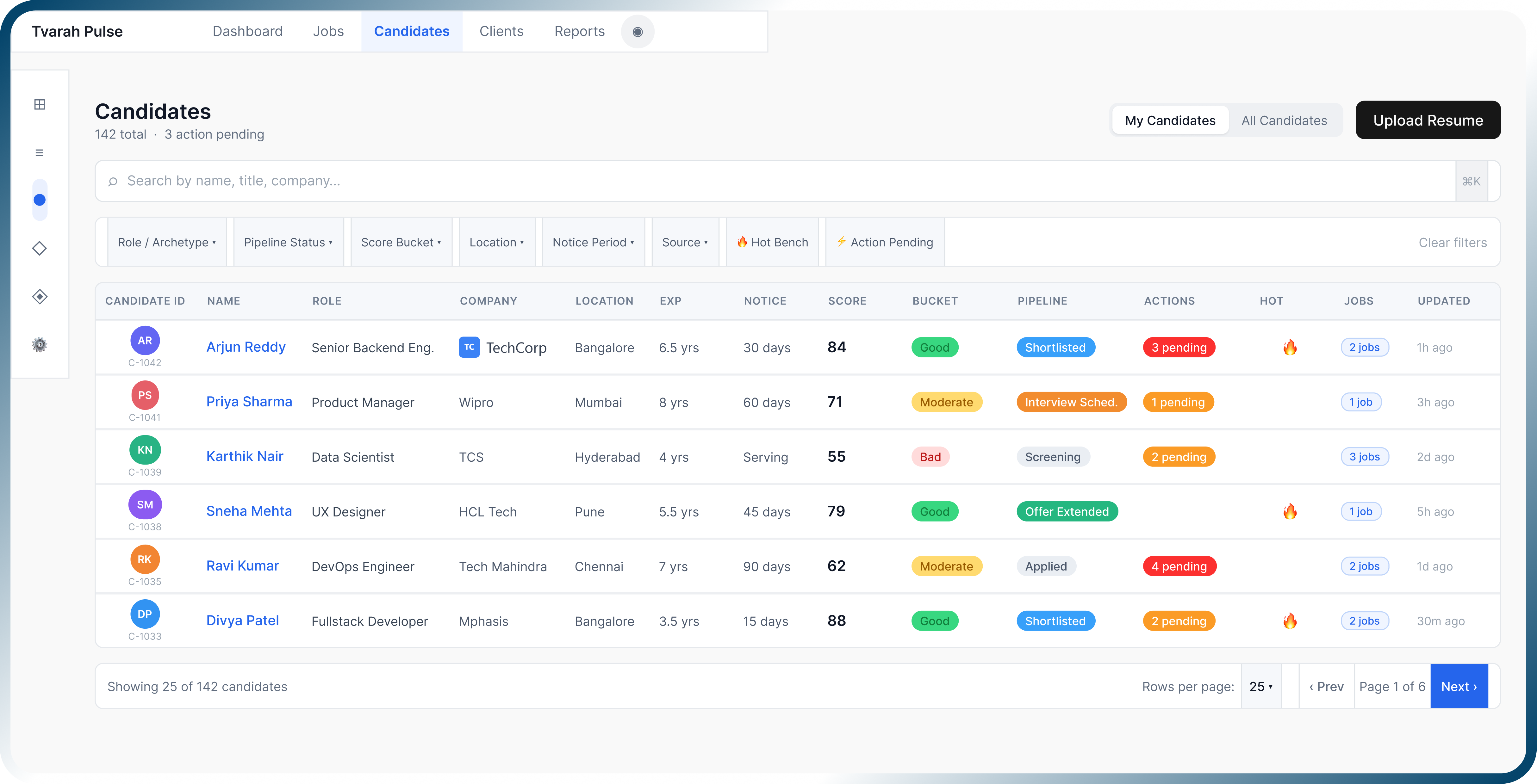
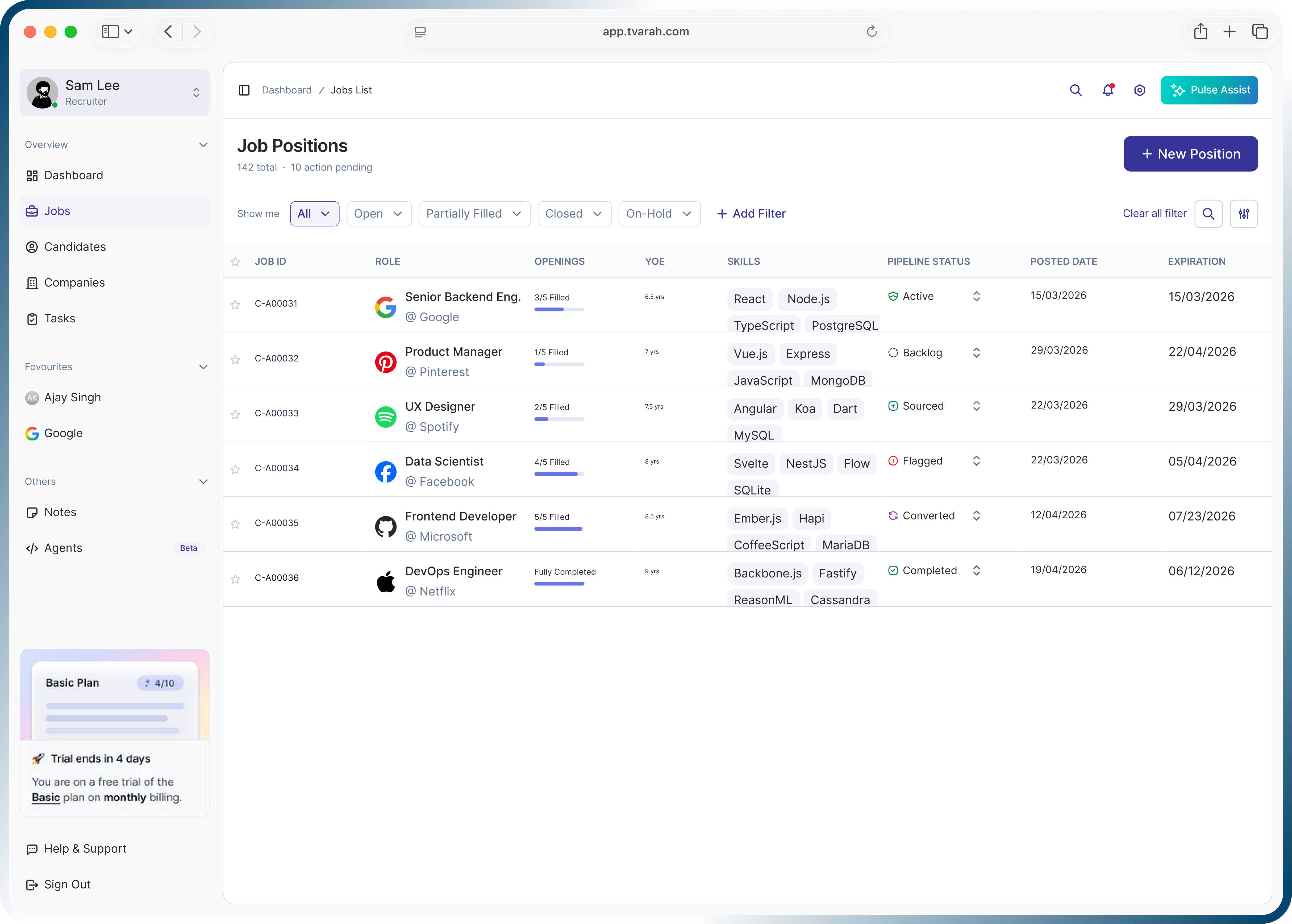
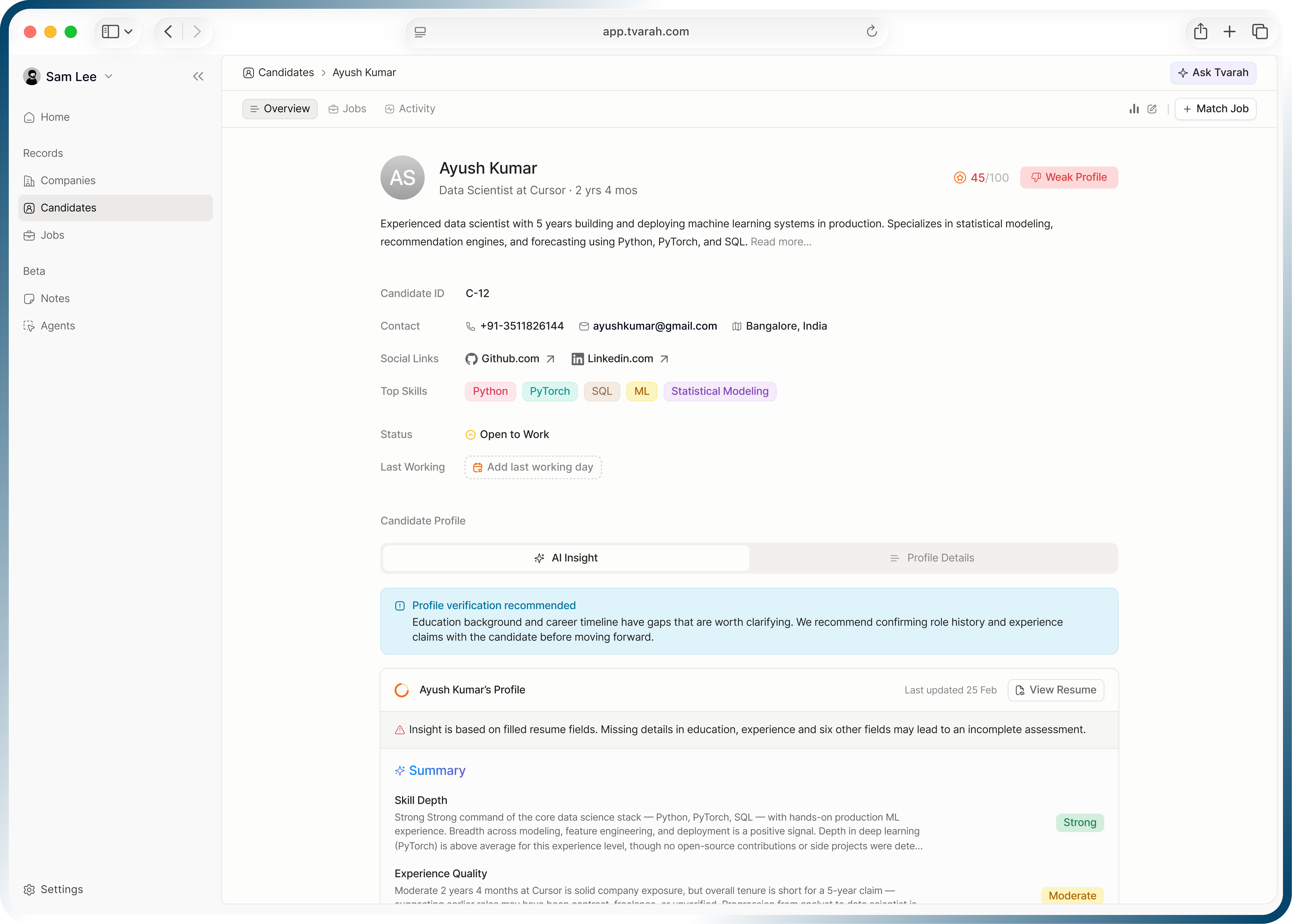
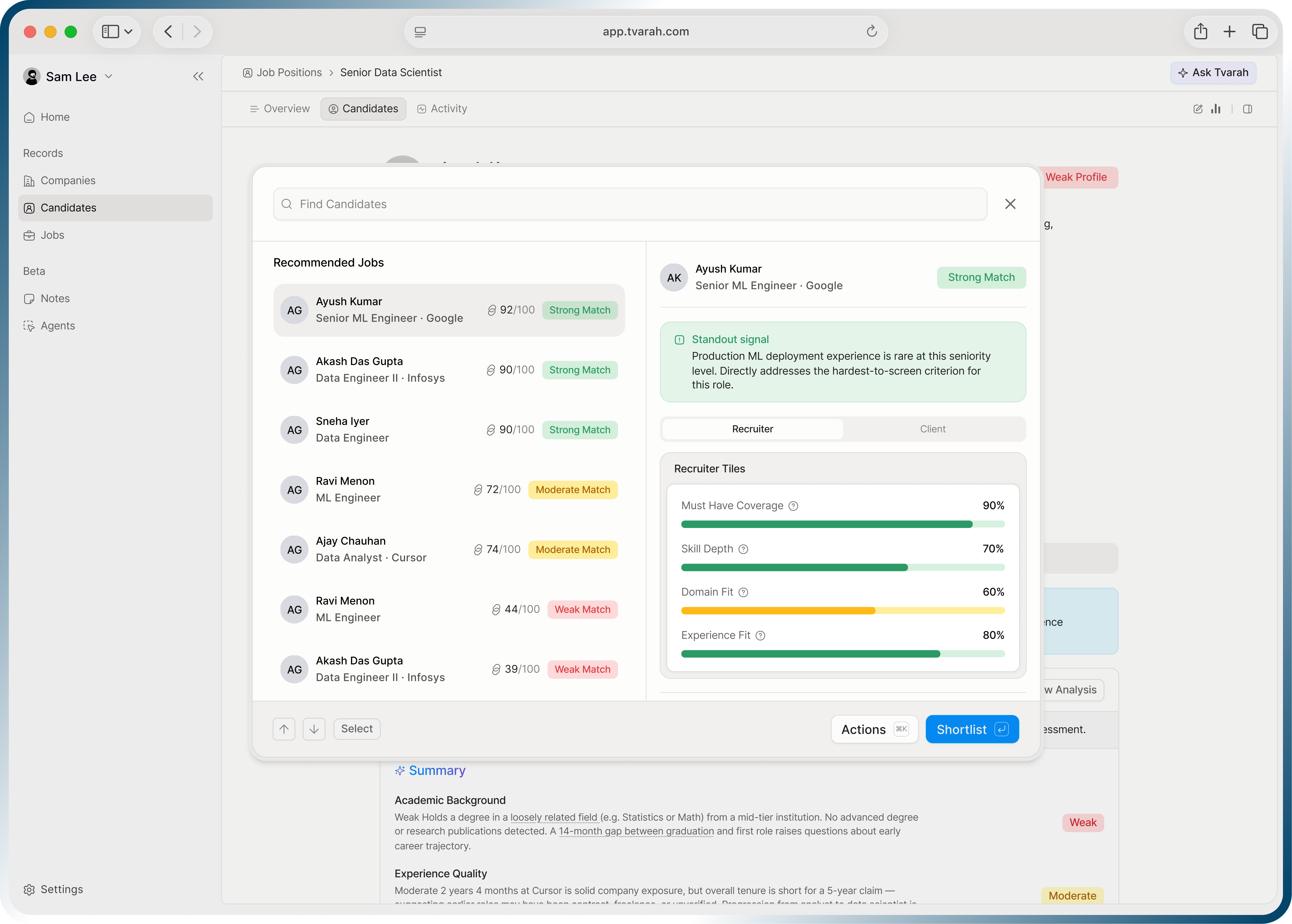
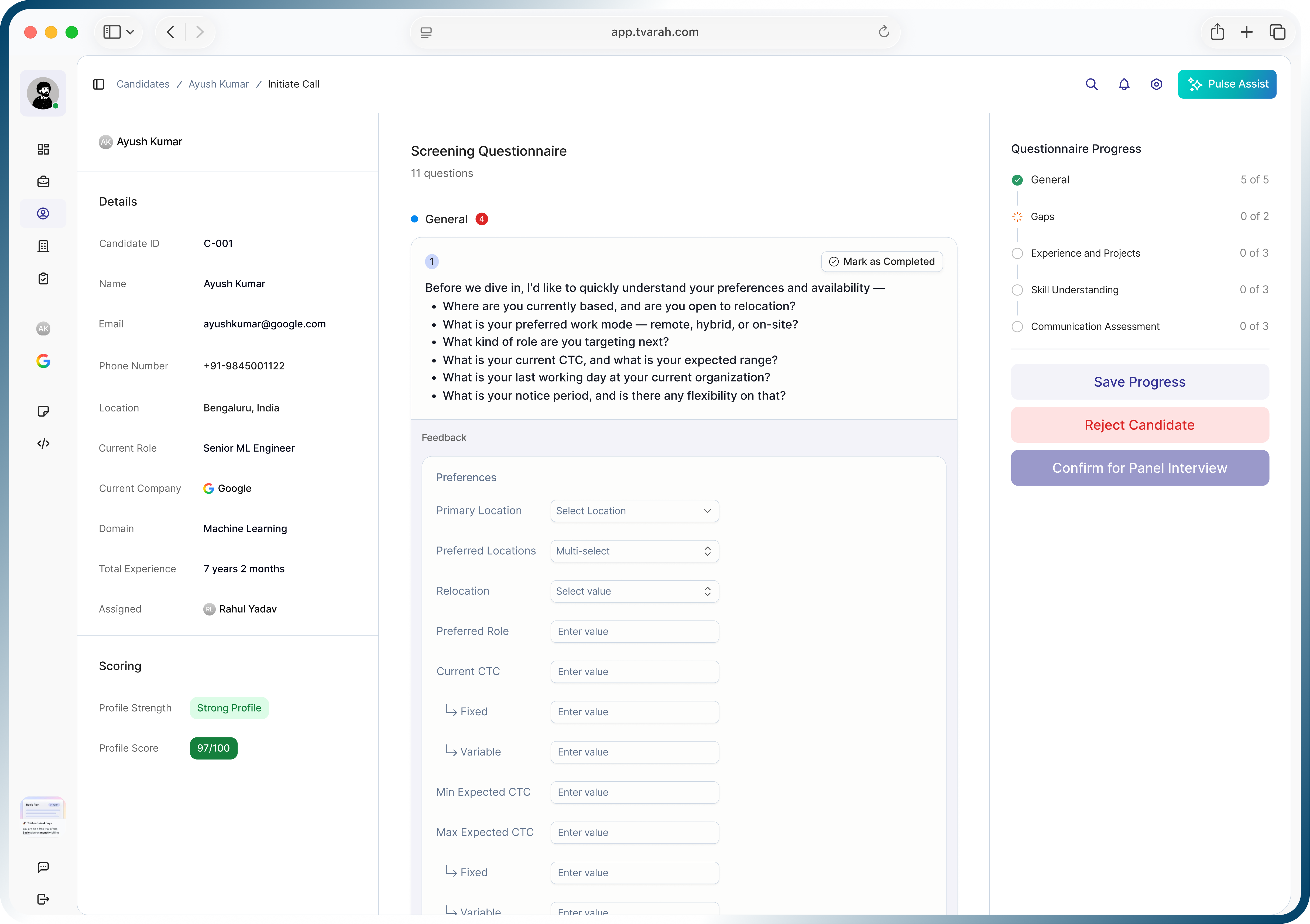
8 modules, 1 workspace.
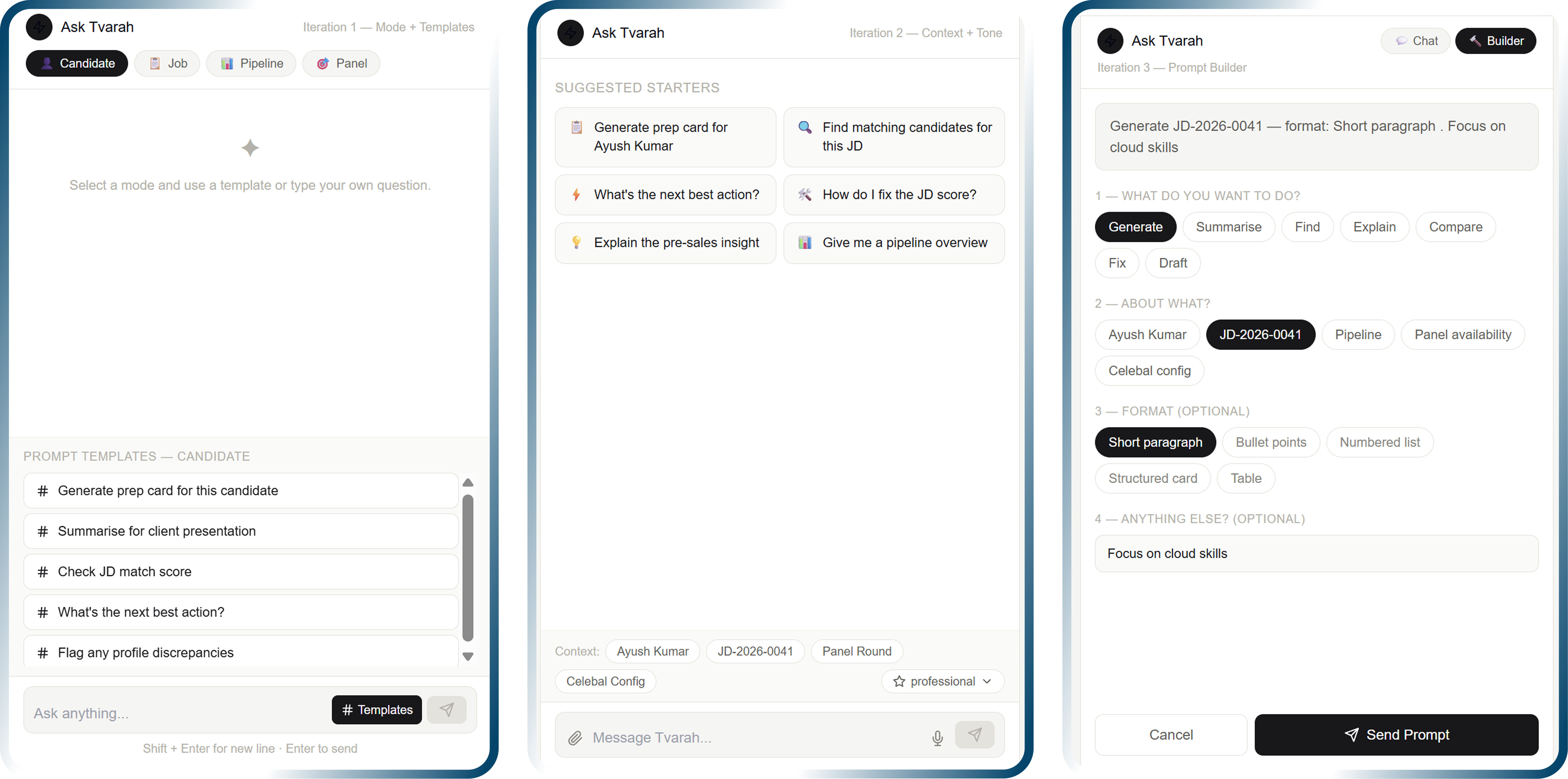
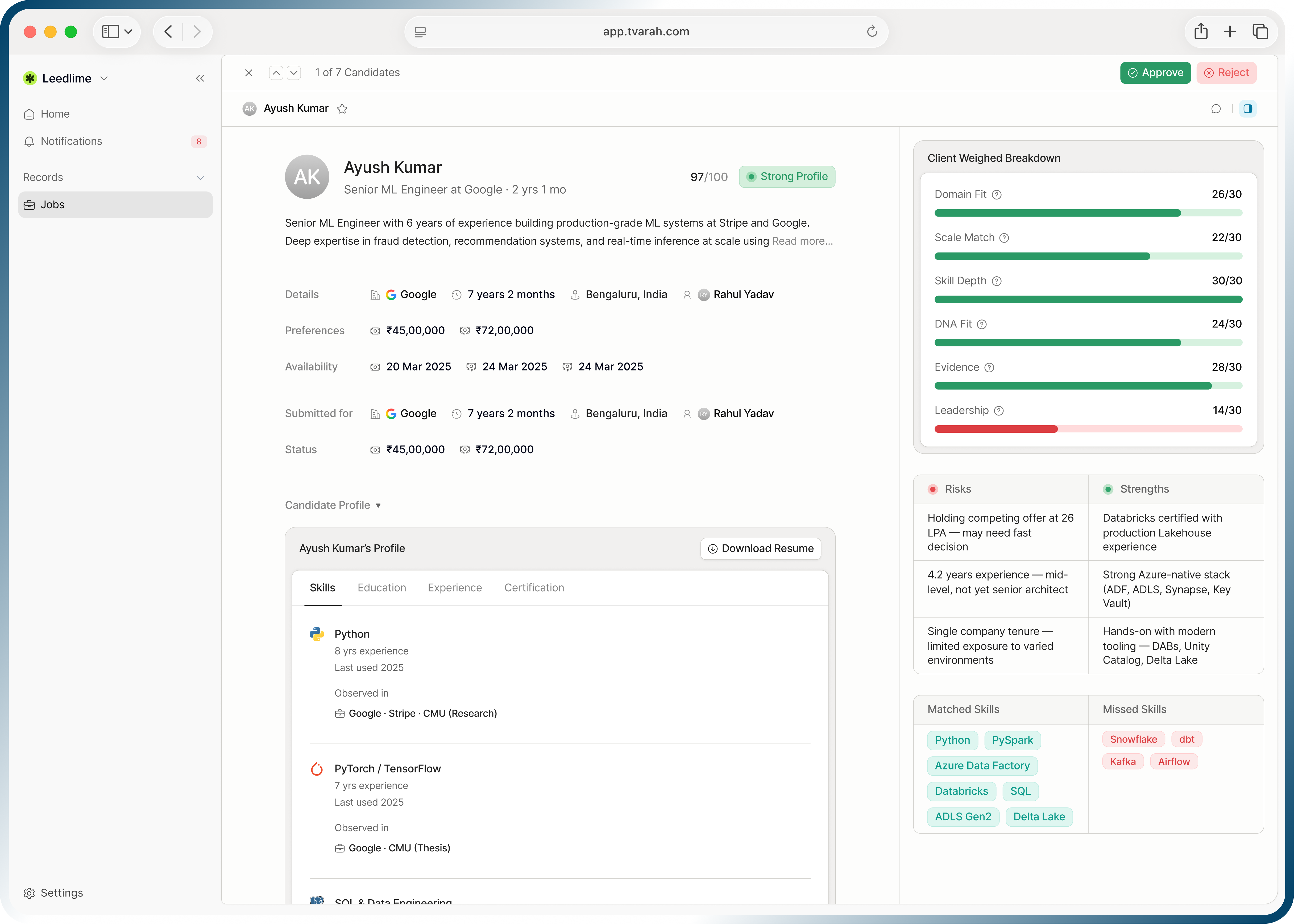
Each module answers one recruiter question. Pick a module to see the screen and the decisions behind it.
{{ t.n }}
−
{{ mzPct }}
+
Fit
{{ modCur.n }} {{ modCur.d }} ← →
{{ w.n }} {{ w.t }} {{ w.d }}
06 · Process
Research, define, design.
Six months with the founders, a PM and developers, from recruiter interviews to a design system built on shadcn/ui.
{{ p.num }} {{ p.count }} {{ p.t }} {{ it }}
07 · Prototype
The prototype is built for desktop. Open it in a new tab to try the full flow. Open prototype ↗
08 · Impact
Before and after. Drag to compare
09 · Learnings
What I learned.
01 Explain every score A number alone was not enough. Showing the reason behind each point is what made the score usable.
02 Lead with the next action Every screen ends in a decision: shortlist, screen or reject. Reading comes second.
03 Build with the devs' system Designing on shadcn/ui kept design and code in sync and cut handoff time.
Next Assam Ferry System